Wednesday, September 14, 2011

Electronic Data Processing In Business

NEED OF ELECTRONIC DATA PROCESSING

Today, no business can exist without information. There is no more business without information. To improve the business there is a need to improve data processing and information system. Now it’s the age of competition that involves information technology for faster and accurate data processing. These days computer is playing a main role in every field of life. It is also playing a central role in business. In business, a large amount of data has to be processed daily. It is impossible to process such a large amount of data without a computer.

Explain importance / need of electronic data processing in business

We know that a computer can process data accurately and quickly. The need of data processing in business is clear. Following are the reasons:


1) RECORD KEEPING

An organization cannot exist without records. Record keeping is a difficult and complex problem. Electronic data processing has simplified it. Receiving, storing, processing and retrieving records is now a matter of seconds.

2) ACCESSING AND SEARCHING RECORDS


We can access desired record rapidly. In manual processing it will take many days to search for specific records. With the help of computer records can be searched with in seconds or minutes.

3) DATABASE SYSTEMS

Electronic data processing is used to maintain a database for a business organization. Database is reliable resource of data and information.

4) COMMUNICATION


Users can send emails, faxes and access internet.

5) COST

In electronic data processing, the cost of processing is 10 times less than that of manual or mechanical data processing. A few can do the whole data processing with the help of computer.

6) SPEED


In a large business organization, thousands of records are processed daily. This cannot be done manually. Computer can do this work at a great speed.

7) ACCURACY

Speed with accuracy is the prime goal of data processing. Computer can large amount of data with 100 % accuracy. Errors and mistakes are associated with human beings.

8) NO REPETITION


In manual data processing there are repetition of same records in many files. But in electronic data processing there is no repetition of records.

9) PAYROLL, ACCOUNTING, STOCK SYSTEMS

In every business organization there is record keeping for pay of employees, stocks and accounting system. These systems can be maintained efficiently with electronic data processing.

10) REPORTS

The business data is analyzed by computer. Computer generates reports that are used by management for decision-making.

You would also like to read:

Define data and information with examples 
Explain difference between data and information
Explain data processing cycle. What is data processing cycle?
Explain Different types of data processing. What are different levels of data processing?
What is the need / importance of electronic data processing in business?

Tuesday, September 13, 2011

Explain Different Types of Data Processing and Advantages Disadvantages

Today we will discuss different types or levels of data processing in detail. Let us define Data processing first.

DATA PROCESSING

Data processing is the sequence of operations performed on data to convert it into useful information. These operations may be arithmetic, statistical or logical operations. We can
arrange or classify data. We can send and receive data from one point to another.

Explain different types of data processing

TYPES OF DATA PROCESSING (OR) LEVELS OF DATA PROCESSING)

There are three types of data processing.
1) Manual data processing
2) Mechanical data processing
3) Electronic data processing


We may also use the term Levels of data processing. First level of data processing was manual data processing when there were no calculating devices (before the invention of calculators). Therefore all processing jobs were performed manually by hand with the help of pen , paper and mind.

In second level of data processing, machines like calculators were used for data processing. This level is called mechanical data processing

In third level of data processing , computers were used for data processing hence the name Electronic data processing. Now a days all data processing is performed with the help of computers.

Although a poor shop keeper with a small income and sale can use manual data processing even today. A person running a shop like book shop can use calculator or computer as the resources allow.

let us discuss types of data processing one by one in detail:

1) Manual data processing

In manual data processing data is processed manually. No machine or tool is used.


Types of data processing - Manual data processing

All the calculations on data are performed manually. This is a slow method and errors may occur. This is an old method. It was used before the invention of calculators. But data is still processed manually in many small shops.
Example: A book seller ( a small book shop ) records his daily transactions manually. He prepares bills by pen,paper and carbon paper ( no doubt, brain is the main data processor in this case ). At the end of day he will use carbon copies made on a particular date to know how many books he sold and how much income he got.

Advantages of Manual Data Processing

1. It is a low cost method of data processing since the tools required to perform manual data processing are just pen and paper only.

Disadvantages of Manual Data Processing

1. Manual Data Processing method is the slowest of all types of data processing.
2. This method is more error prone. Chances of errors in results produced by manual data processing are more than other two methods.
3. Manual data processing is a time consuming process. More is the amount of data , more is the time required to process data.


2) Mechanical Data Processing


Types of data processing : Mechanical data Processing


In mechanical data processing data is processed with the help of  devices or machines. These machines that help the people in data processing may be calculators and type writers etc. Obviously, this method is faster easier and more accurate than manual data processing.


Example: Book seller can use a calculator to speed up his data processing system. There will be a less chance of errors in calculations. Bill calculations will be much more faster with a calculator and easier too.

Advantages of Mechanical Data Processing


1. Mechanical data processing is more accurate method of data processing, since it uses machines like calculators for accurate data processing and results.
2. Mechanical data processing is less time consuming than manual data processing. Due to the use of calculator, calculations are performed quickly.
3. There are less chances of error in calculations.

Disadvantages of Mechanical data Processing


1. It is more costly method that manual data processing.
2. It is not automated process, with the increase of data, number of calculations increases making the whole process difficult and complex.

3) Electronic data processing

It is the latest and fastest method of data processing. Data is processed with the help of computer.
Different Types of data processing : Electronic data Processing

Types of data processing : Electronic data Processing

First of all, data and set of instructions are given to the computer. Computer gives output results after processing the data according to instructions. This method of data processing is very fast and accurate. Electronic data processing is used in banks and business firms, Government offices, colleges, schools, universities, businesses and other institutes. Electronic data processing is being used in almost every field of life. Example:Suppose there are 800 students in a college. There is a manual library system in this college. If we want to know which students have not returned books since one year? We will have to search registers for 800 students’ record. But computer can do this job with in seconds.

Advantages of Electronic Data Processing

In short, we can say that:

Electronic data processing is the fastest and most efficient method of data processing 

  1. Electronic data processing is the fastest and most efficient method of data processing  
  2. Electronic data processing is less time consuming of all other methods
  3. Electronic data processing systems can process large amounts of data easily
  4. Electronic data processing can present information in more attractive way
  5. Electronic data processing will give 100 % correct results, without any errors if input and instructions are accurate.

Disadvantages of Electronic Data Processing

1. Electronic data processing is the most expensive method among all other types of data processing.
2. High setup Cost: Computer systems - Hardware and software requires a lot of money to setup and to operate further.
3. Qualified Computer personnel are required to run an electronic data processing system which results in more money requirements for employee pay roll systems.

You would also like to read:

Define data and information with examples 
Explain difference between data and information
Explain data processing cycle. What is data processing cycle?
Explain Different types of data processing. What are different levels of data processing?
What is the need / importance of electronic data processing in business?

Wednesday, August 31, 2011

Explain Different Types Of Data

DATA

Data is the collection of raw facts and figures. It is without any proper meaning.
Data may be collection of words, numbers, graphics or sounds.
Explain different types of data What is data?
What is data? Explain different types of data


Examples of Data

1) Student Data on Admission Forms

When students get admission in a college. They fill admission form. This form     contains raw facts (data of student) like name, father’s name, address of student etc.

2)    Data of Citizens

During census, data of all citizens is collected.

3)    Survey Data

Different companies collect data by survey to know the opinion of people about their product.

4)    Students Examination data

In examination data about obtained marks of different subjects for all students is collected.   

Different Types Of Data

There are following main types of Data.

1)    NUMERIC DATA


Explain Different Types of data with examples

Numeric data consists of 0 to 9 digits, + and – sign and decimal point etc.
For example, 10, 78, 90.50, -56 etc

2)    ALPHABETIC DATA

It consists of all alphabetic letters A to Z, a to z and blank space etc. For example, Pakistan, Ahmad, Abdul Rahim, GCC , RYK, Ahmad etc.

3)    ALPHANUMERIC DATA

It consists of alphabet letters, digits and special characters like #, $, % etc.
For example, House Number 10-A, 14-August-1947, F-16 etc.
   

4)   GRAPHIC DATA   

Graphic data or image data consists of charts, graphs and images etc. For example a collection of maps of countries, a collection of family pictures etc.

5)    AUDIO DATA

Audio data consists of sounds and voices. For example audio naat, radio program, radio news, audio songs etc.

6)    VIDEO DATA

Video data consists of moving pictures. For example movie, TV dram, TV news etc.

7)    MIXED DATA

Mixed data consists of combined data of two or more types. For example, TV drama consists of audio as well as video data. Another example of mixed data is the admission form of students. Because students provide different types of data on admission form like numeric data, alphabetic data, alpha numeric data and graphic/image  data etc. as explained below:
Numeric data: marks obtained by student
Alphabetic data: Name, father name etc.
Alpha numeric data: Address
Graphic data: Picture of student

This is all about Different Types of  Data.
Thanks!
You would also like to read:

Define data and information with examples 
Explain difference between data and information
Explain data processing cycle. What is data processing cycle?
Explain Different types of data processing. What are different levels of data processing?
What is the need / importance of electronic data processing in business?

Thursday, August 25, 2011

Explain Data Processing Cycle and Main Activities of Data Processing Cycle

After collecting data, it is processed to convert into information. The data is processed again and again until accurate result is achieved. This is called data processing cycle.
Data processing cycle involves following three basic activities:

Major Activities Involved in Data Processing Cycle


Explain data processing cycle and activities involved in data processing cycle
Explain Data processing cycle


1. Input
2. Processing
3. Output

1. INPUT

It is the process in which collected data is given to computer after converting into binary form. Input step can be further divided into following steps:

i) Planning

Here objectives of data processing are defined. For example, in examination system, objective is to process student examination data to get result cards.

ii) Data Collecting

Here data is collected. Data is the raw material for data processing. This must be accurate for getting accurate results.

iii) Input

Here data is entered into computer.

iv) Verification

Here collected data is verified to determine whether it is valid for processing. For example marks must be in numeric form.

v) Coding

Data is stored in computer in binary form. Here data is converted (or coded) into computer readable (binary) form.

2. PROCESSING

Now data is ready for processing. We process collected data to convert into information. Some important activities in processing are as following:

i) Data Classification

Here data is classified into different groups or sub-groups. So that it can be handled easily and separately. For example if we collect data about students of a college we will divide them into D.Com and B.Com class groups.

ii) Data Sorting

Here data is arranged in some order. So that it can be accessed quickly. For example we can sort student data by Roll number or name.

iii) Data Calculation/Processing

Here arithmetic and logical operations are performed on data to get the required result. For example total marks of each student are calculated.

3. OUTPUT

After completing the processing, output is received. Output step involves following steps:

i) Testing

The results are tested to find if they are according to requirements. And any errors are removed. If results are not satisfactory then we repeat above-mentioned steps again and again until the accurate results are found.

ii) Summarizing

Huge results are summarized to make them short and precise.

iii) Storing results

The results are stored properly on secondary storage devices for future use.

iv) Output the result

Here output is produced as softcopy on screen or as hard copy as printout. Information is sent to different places as needed.

v) Feed Back

In this step we take comments from users about output results. If results are not satisfactory then we repeat above-mentioned steps again and again until the accurate results are found. This is all about Data Processing Cycle.

You would also like to read:

Define data and information with examples 
Explain difference between data and information
Explain data processing cycle. What is data processing cycle?
Explain Different types of data processing. What are different levels of data processing?
What is the need / importance of electronic data processing in business?


Differences Between Data and Information

Topic: Differences Between Data and Information - 14 Differences

Here we are going to discuss the differences between two typical terms of information technology: Data and Information. Data is a collection of raw facts and figures about an entity. Data may consist of numbers, characters, audio, video or pictures etc. When these data is processed according to requirements, then it is transformed into INFORMATION.

Differences between data and information with examples and pictures
Differences between data and information with examples
For example, consider Admission system of a Computer College. The candidates will submit admissions forms filled by them. Now all the facts and figures and picture of candidate on form is called data. These data may consist of name, father's name, date of birth, marks obtained, total marks, address, contact number and a latest photo graph of the candidate.
Now the concerned person in the college office will process these data to prepare a merit list. He may calculate percentage of obtained marks of each candidate and arrange the records in descending order by percentage. This merit list is an example of Information. Information is useful in decision making. The merit list will declare the names of students who will have a right to get admission in the college.

Example of Data
Example of Information

Differentiate between Data and Information with examples.

14 Differences between Data and Information


            DATA


       INFORMATION


1


Data is collection of
raw facts and figures.


Information is
processed data.


2


Data may be unarranged and
unorganized.

Information is arranged
and organized.


3

Data
is not so meaningful.
Information
is meaningful.

4


Data is input.


Information is out put.

5


Data is used less frequently.


Information is used frequently.

6


Data represents facts
before processing.


Information represents
results (obtained after processing).


7


Data is not helpful in
decision-making.


Information is helpful
in decision-making.


8


Data is raw material
for information.


Information is the
final product of data.


9


Data are unprocessed
records


Information contains
processed records


10


Data is in large
amounts. For example, we get hundreds of admission forms from candidates.


Information is in small
amounts. For example, we derive a merit list of one or two pages as information from hundreds of admission forms.


11


If data is lost, it is
very difficult (or even impossible in some situations) to re collect.


If information is lost,
it is easily derived from stored data, again.


12


Data is collected by
observations, recordings, interview or survey etc. For example, if we
record the temperature of each hour recorded in a particular day is called
temperature data.


Now we will process
these temperatures data to find useful information. For example if we
arrange temperatures in ascending order, then we will find the information
like:

Minimum Temperature of
the day= 15 C  and Maximum
Temperature of the day = 25 C.


13


Data is the asset of an
organization and is not available for sale to public.


Normally, information
is available for sale to general public.


14

Data depends upon the sources for collecting data, the collection methods
adopted and the people who will collect data.
Information depends upon data.

You would also like to read:

Define data and information with examples 
Explain difference between data and information
Explain data processing cycle. What is data processing cycle?
Explain Different types of data processing. What are different levels of data processing?
What is the need / importance of electronic data processing in business?

Wednesday, August 24, 2011

Define Data and Information With Examples

DATA

Data is the collection of raw facts and figures. Actually data is unprocessed, that is why data is called collection of raw facts and figures.
Define Data and Information with Examples


We collect data from different resources. After collection, data is entered into computer for processing. Data may be collection of words, numbers, pictures,  or sounds etc.

Examples of Data

1) Student Data on Admission Forms

When students get admission in a college. They fill admission form. This form  contains raw facts (data of student) like name, father’s name, address of student, obtained marks, photo graph etc.

2)    Data of Citizens

During census, data of all citizens is collected. The staff will go house to house and collect data about citizens like number of persons living in a home, either they are literate or illiterate, number of children, data of each child, cast, religion, Computerized national Identity Card number, address, how many rooms and other facilities in the house etc.

3)    Survey Data

Different companies collect data by survey to know the opinion of people about their product. the company's survey staff will go house to house and interview people about the use or like / unlike their products. They also collect data about their competitor companies in a particular area.

4)    Students Examination data

In examination system of a school or college, data about obtained marks of different subjects for all students is collected. Actually answer books are collected from students and marked by teachers. Teachers provide marks sheets / award lists containing data of obtained marks by all students.

INFORMATION

    Processed data is called information. When raw facts and figures are processed and arranged in some proper order then they become information.
Define Information with Examples

Information has proper meanings. Information is useful in decision-making. Actually we process data to convert it into information. Here are some clear easy to understand differences between data and information.

Examples of Information:


1)    Student Address Labels

Stored data of students can be used to print address labels of students. these address labels are used to send any intimation / information to students at their home addresses.

2)    Census Report (Total population, Literacy Rate, Male / Female ratio etc.)

Census data is used to get report/information about total population of a country and literacy rate, total population of males, females, children, aged persons, persons in different categories line cast, religion, age groups etc.

3)    Survey Reports and Results

Survey data is summarized into reports/information to present to management of the company. The management will take important decisions on the basis of data collected through surveys and the reports prepared on the basis of these data.

Explain data and information with examples

4)    Result Cards of Individual Students, Result sheets of  a particular Class

In examination system collected data (obtained marks in each subject) is processed to get total obtained marks of a student. Total obtained marks are Information. It is also used to prepare result card of a student.

5)  Merit List

After collecting admission forms from candidates, merit is calculated on the basis of obtained marks of each candidate. Normally, percentage of marks obtained is calculated for each candidate. Now all the candidates names are arranged in descending order by percentage. This makes a merit list. Merit list is used to decide whether a candidate will get admission in the college or not.
Further related Topics to study:

Tuesday, August 23, 2011

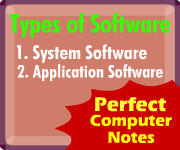
Explain Different Types of Software

Topic: Different Types of Software with Examples

Types of Software

Different Types of Software with Examples
There are two main types of software - system software and application software. Let us discuss these types of software in detail with examples of each.

System Software

System software is a set of programs used to implement certain functions in a computer system. System software  controls the overall operations and components of a computer system.
We can say that system software is the base on which application programs are executed. System software provides an interface between user and computer. Users use this interface to interact with the computer and perform different jobs on computer. Operating systems like Windows, Linux and Unix are the main example of system software. Similarly device drivers software are also examples of system software.

Examples of system software


Examples of system software are as follows:

•   Operating Systems

Operating system is software to control overall operations and components of a computer system. e.g., Windows, UNIX, Linux and Dos etc.
Sponsored Links


•   Utility Programs

Utility program is used to solve a particular problem of software or hardware, for example, Antivirus program, disk scanner and File Viewer etc.

•   Device Drivers

Device driver is software that permits a computer system to communicate with a device. e.g., device driver software for a modem comes with it on CD. We have to install device driver before using a device.


•   Language Processors

Language processor is software that converts a source program into object program. For example C- compiler converts a program written in C language into object program (machine code).


Application Software

Application software is a program needed to perform various applications on the computer by the user. It helps a computer user to solve specific problems like to prepare letters and other documents, to create pictures and advertisements, to perform large calculations quickly etc.
The application software runs on top of the operating system software.
Examples of application software are as follows:

i. Word Processing

Word processing software is used to produce letters, applications and other documents. Microsoft Word is the most popular application software used for word processing.

ii. Spreadsheets

Spreadsheet program is used to create electronic worksheets. These worksheets are used to perform calculations on large amounts of data quickly and automatically. Microsoft Excel is a popular spreadsheet program.

iii. Databases

Database software is used to record data of an organization on computer in compact and efficient form. MS Access, MS SQL Server and Oracle are examples of database software.

iv. Graphics

Graphics software is used to produce advertisements, posters and pictures etc. for example CorelDraw and Photoshop are popular graphics software.

v. Communication

Communications software is used to communicate with different people using Internet, e.g., MSN Messenger, yahoo messenger and Internet Explorer.

This is all about two main types of software used in computers.

Find Your Correct Age From Date of Birth

First of all click on First two digits to type Month number from keyboard like any number from 1 to 12. . Now click on next two digits and t...