Tuesday, August 9, 2011

What are Different Pointing Input Devices

Topic: What are Different Pointing Input Devices
 A Pointing input device is an input device which is used to control  the movement of the pointer to select items on a display screen.

Examples of pointing input devices


include: Mouse, Track ball, Joystick, Pointing Stick, Graphic Tablet, Touch pad or Track pad, Touch Screen and Light pen etc.

1. Mouse
Explain What are different Pointing input devices
Explain different Pointing input devices - Mouse

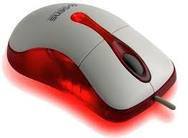
Mouse is an input device used to control motion of pointer on screen. A mouse has two or three buttons called Left, Right and Middle button. Buttons are used to perform different functions.

2. Track Ball

 track ball pointing input device
Track Ball is an input device like a mouse. It is used in Lap top computers to control motion of pointer on screen. It is a pointing device like upside down mouse. It has a ball on its upper side. This ball is moved by fingers or thumb and the pointer moves accordingly on screen.

3. Joystick

 Joy stick pointing input device
Joystick is an input device used to play games on computer.

4. Pointing Stick

Pointing stick pointing input device

A pointing stick is a pressure sensitive small nub ( similar to pencil eraser ) used like a joystick. It is usually found on laptops fixed between the 'G', 'H', and 'B' keys. It operates by sensing the pushing force applied by the user. The pointer on the screen moves, when user pushes pointing stick with finger. Normally, it is
used with laptop computers.

5. Graphic Tablet

 A graphics tablet consists of a special pen called stylus and a flat pad. The image is created on the monitor screen as the user draws it on the pad with the help of stylus (special pen).
6. Touch Pad or Track Pad
 
Touch pad or Track pad is a pointing input device. It is used in Lap top computers to control motion of pointer on screen. Track pad is a stationary input device. It has a flat surface of 1.5 to 2 square inch. Finger is moved on this surface to move pointer on screen.

7. Touch Screen


 In ATM and in latest smart phones, touch screen is used to receive input from the user. The user enters data by the touch of his finger on different menu options or icons present on touch screen.

8. Light Pen


different Pointing input devices

Light pen is an input device consisting of a special pen that is connected to a computer's monitor. The user points at the screen with the pen and selects items or chooses commands.

Read more  Different Types of Input Devices

Saturday, August 6, 2011

Explain different types of storage devices

Topic: Explain different types of storage devices in Computer systems

Storage Devices

Storage devices are used to store data and instructions permanently. Storage devices are also called secondary storage devices / backing storage devices / external storage devices or auxiliary storage devices. Examples of storage devices include Hard Disk, CD and DVD etc.

Why Secondary Storage Devices are Used?


Secondary storage devices are used because:
  1. Primary memory(RAM) is volatile and temporary. When computer is switched off, all data in ram is erased.
  2. Storage devices can store large amounts of data and instructions permanently whereas Primary memory has less capacity of storing data.

Types Of Storage Devices


There are three main types of storage devices:


  •  Magnetic Tape 
  •  Magnetic Disk 
  •  Optical Disk 
  •  Flash Memory storage devices


1. Magnetic Tape


Magnetic tape is the oldest storage device. It is made of plastic coated with magnetic material. Data is stored on magnetic tape in the form of magnetic spots. Tape drive is used to read and write data on tape. Magnetic disk is sequential access device. It is slower device than magnetic disk or optical disk. Magnetic tapes are used in reels of different lengths, for example 200, 600, 1200 feet etc.

2. Magnetic Disk


A magnetic disk is a thin circular metal or plastic disk coated with magnetic material. Data is stored in the form of magnetic spots. Magnetic disk is random access device. It is faster than magnetic tape. There are three main types of magnetic disk:
a. Hard Disk b. Floppy Disk c. Zip Disk


a. Hard Disk


The hard disk is also called fixed disk. It consists of one or more metal plates. The plates are fixed in the drive. Metal plates are coated with magnetic material to store data. A motor rotates disks. There is also an access arm and read / write heads to read and write data on disks.
Following are major characteristics of hard disk:
- The storage capacity of hard disk is much greater than floppy disk.
- Now a days hard disks of size 40 GB, 80 GB or more are available.
- Hard disk is covered in a hard jacket and there are less chances of disk damage due to dust and mishandling.
- Now days Operating system and application programs are installed on hard disk.
- Before using a magnetic disk we use operating system to format the disk. Operating system divides the disk into circles called tracks. Each track is divided into pie-shaped areas called sectors. Data is stored in sectors. Each sector can store 512 bytes.

b. Floppy Disk

Floppy disk is a small plastic plate coated with magnetic material. Data is stored in magnetic spots. Main advantage of floppy disk is that it is used to transfer data from one computer to another. Floppy disk drive is used to read and write data on floppy disk.
Floppy disk is available in two sizes:
· 3 ½ INCH Floppy Disk
It is also called micro floppy disk. Its diameter is 3½ inch. It is covered in a hard plastic cover. Read/Write window is covered with a metal shutter. When disk is inserted into disk drive then shutter is automatically opened. It can be write protected by a notch. Storage capacity of micro floppy is 1.44 MB.
· 5¼ Inch floppy disk.
It is a 5¼ inch diameter plastic plate coated with magnetic material. Its storage capacity is 1.2 MB. It is not used in modern computers.

c. Zip Disk

Zip disk is similar to 3 ½ inch floppy disk. But it can store 100 MB or more data. Zip disk drive is used to read and write data on a zip disk.

3. Optical Disk


LASER technology is used to read and write data on Optical disk. LASER stands for Light Amplification through Emission of Radiation. Laser beam writes on the surface of optical disk by creating very small holes. The presence of hole represents a One and absence of the hole represents a Zero. There are following main types of optical disk.
1.CD-ROM, 2. CD-R or WORM, 3. CD-RW
4.DVD-ROM, 5. DVD-R, 6. DVD-RW, 7. Blue-Ray disk

 1. CD-ROM


CD-ROM stands for Compact Disk-Read Only Memory. The data stored on Cd-Rom can only be read. It cannot be deleted or changed. It is a portable storage device. Data can be easily transferred by CD Rom from one computer to another. Commonly it can store 650 MB / 700 MB/ 750 MB data. It is used to store large amounts of data like Software or audio/video data.We purchase Software, movies, dramas, lectures, books, wallpapers and other data on Cd-Rom. There are many Advantages of Compact Disk.

2. CD-R (CD Recordable) Or WORM (Write Once Read Many)

CD-R stands for Compact Disk -Recordable. Initially, it is a blank disk. User can store data on it only once. This is why it is also called WORM(Write Once Read Many) disk too. Because we can write data on it only once and later we can read many times. The devices to store data on CD-R are called CD Writers or CD Burners. We can write data on CD-R only once, but can read data many times. Because of this write once read many quality, CD-R is often known as WORM(write once read many).

3. CD-RW ( CD Rewritable )

CD-RW stands for Compact Disk Rewritable. This is a special type of CD. User can write data on it, if there is an error in writing data, he may erase the contents and rewrite again. CD-Writers are used to store data on CD-RW.

4. DVD - Digital Video Disk (DVD-ROM)

DVD stands for Digital Video Disk. A laser beam with a short wave length is used to create very very small holes on the surface of disk. So there are much more tiny holes on the surface of DVD as compared to that of CD. Therefore, storage capacity of DVD is much larger than CD. It can store up to 17 GB or more data. DVD-ROM is pre recorded and it can contain data like movies, videos and software etc. User cannot change or delete data from DVD-ROM. It is read only. There are several Benefits of using Digital Video Disk or DVD.

5. DVD-R (DVD-Recordable)

DVD-R stands for Digital Video Disk Recordable. Initially it is a blank disk. User can store data on disk only once. Then it becomes read only. It is normally used to store high definition video movies. DVD-Writers are used to store data on DVD-R.

6. DVD-RW ( DVD Rewritable)

DVD-RW stands for Digital Video Disk Rewritable. User can write data on disk many times by erasing the old data.

Blu-Ray Disk

Blu-Ray Disk is an optical disk used to store digital information such as high-definition video, and able to store more information than a standard DVD
Blu-ray Disk pronounced as Blue-ray Disk is the name of a new type of optical disc
format. The format offers more than five times the storage capacity of traditional DVDs. A Blu Ray disk can hold up to 25GB on a single-layer disc and 50GB on a dual-layer disc.

Moreover an other difference between DVD and Blu-Ray disk is that current optical disc technologies such as DVDs rely on a red laser to read and write data, whereas the new format ( Blu-Ray disk) uses a blue-violet laser instead, hence the name Blu-ray Disk.
blu-ray disk
Blu-ray disk


Here are some Differences Between CD and DVD.


4. Flash Memory Storage Devices

Flash memory is a non volatile memory - a kind of memory that retains data in the absence of a power supply. We can write new data on flash memory devices and can erase the existing data electronically.
Flash memory devices contain no moving parts.

Different types of flash memory storage devices are as follows:

Solid State Drives
USB Flash Drives
Memory Cards


Yo will also like to read:

Units of Storage

Types of ROM
Types of RAM
Types of Hardware

Test / Interview / VIVA VOCE  Questions Bank on HARDWARE


Thursday, August 4, 2011

Discuss Differences Between RAM and ROM

We have already discussed the topics:
1. What is RAM, Explain Different Types of RAM
2. What is ROM Explain Different Types of ROM
Here we discuss differences between RAM and ROM

13 Differences Between RAM and ROM

Thirteen Differences Between RAM and ROM

Sr # RAM ROM
1 RAM stands for Random Access Memory ROM stands for Read Only Memory.
2 RAM is a temporary memory. ROM is a permanent memory.
3 RAM is a volatile memory. ROM is a non volatile memory.
4 When computer is turned off, all data and programs are
erased from RAM. 
When computer is turned off, all data and programs are
retained in ROM.
5 RAM is a Read / Write memory. Data can be read and written
to RAM.
ROM is a read only memory. Data from ROM only can be read
and not written.
6 Data and programs in RAM can be changed. The contents of ROM cannot be changed.
7 Data or programs in RAM can be deleted. Contents of ROM cannot be deleted.
8 The instructions and data  are written (loaded) in RAM
at execution time, when computer is working.
The instructions in ROM are written at the time of
manufacturing.
9 RAM is used to load data and programs currently running. ROM contains the instructions that help the computer to
start-up and make it ready for work.
10 RAM is much faster than ROM. ROM is slower than RAM.
11 RAM has two main types: Static RAM and Dynamic RAM ROM has three types: PROM, EPROM and EEPROM
12 Physically RAM chip is larger than ROM chip. Physically ROM chip is smaller than RAM chip.
13 Picture of RAM is:
Differentiate between RAM and ROM
RAM
Picture of ROM is:
Explain Differences between RAM and ROM
ROM

These were the differences between Random Access Memory and Read Only Memory
You may also like:

Find Your Correct Age From Date of Birth

First of all click on First two digits to type Month number from keyboard like any number from 1 to 12. . Now click on next two digits and t...