
Remove USB Virus Easily by Free Software SMADAV 2018 USB Antivirus


SMADAV is a secondary level protection anti virus software especially good for viruses that enter into computer system through USB pen drive.
Download Smadav 2018 Free USB Antivirus and Clean your USB easily from viruses:

Smadav 2018 : The Best Free Anti Virus For cleaning USB from viruses
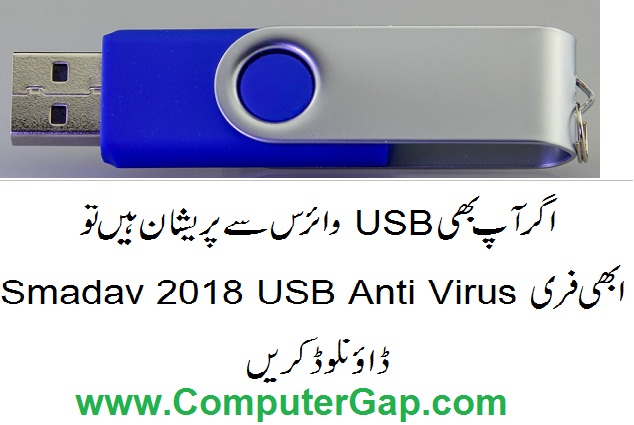
Remove USB Virus by Free Software SMADAV 2018 USB Antivirus
Smadav 2018 USB Antivirus Free Download

Some Features of Smadav 2018 Free USB Antivirus Protection Software


  انسٹال کرنا اور استعمال کرنا انتہائی آسان ہے۔ جیسے ہی کوئی یو ایس بی لگائی جاتی ہے یہ   اس کو سکین کر تا ہے اور وائرس کو کمپیوٹر میں داخل ہونے سے بچاتا ہے۔


  • Smadav 2018 Antivirus especially for USB helps you detect and clean virus in USB.
  • Smadav 2018 will also recover hidden files in USB.
  • Smadav 2018 Free Antivirus will work together with other popular Antivirus programs already installed on your computer smoothly.

    • Smadav Free antii virus software will work as an additional anti virus software in your PC and will provide Total Protection without any cost.
    • Smadav 2018 Free Antivirus will protect your PC from virus incoming through USB, E-mail or web.
    Download Smadav 2018 Free USB Antivirus and Clean Your USB
    Download Smadav 2018 Free USB Antivirus and Clean Your USB


    How to download Smadav 2018 Free USB Antivirus Software

          Just open the website of Smadav 2018 USB Antivrus and download free version. The link of Smadav 2018 USB anti virus is as follows:
    Smadav 2018 Free USB Antivirus Protection Download Link
    Smadav 2018 Free USB Antivirus Protection Download Link

           
    Download Smadav USB Antivirus 2018 Free
    Download Smadav USB Antivirus 2018 Free

    ڈاون لوڈ کرنے کے لیے نیچے دیے گئے لنک پر کلک کریں

    Click to Download Smadav 2018 Free USB Antivirus now

    How to Install Smadav 2018 USB Antivirus in Easy Steps with Pictures
    (انسٹال کرنے کا طریقہ تصاویر کے ساتھ)

    1. Click on the downloaded file of Smadav 2018
    2. Click on Run
    How to install SMADAV 2018 USB Antivirus in Easy Steps 1

    click on Next

    How to install SMADAV 2018 USB Antivirus in Easy Steps 3


    3. Select English language.

    How to install SMADAV 2018 USB Antivirus in Easy Steps 2

    4. Select the option for licence agreement ( I accept the agreement).

    How to install SMADAV 2018 USB Antivirus in Easy Steps 4

    5. Select Create desktop icon option
    Method of How to install SMADAV 2018 USB Antivirus in Easy Steps 5


    6. Select Launch SMADAV and click on finish button.
    Procedure of How to install SMADAV 2018 USB Antivirus in Easy Steps


    7. Congratulations. Now your computer is protected against bad and dangerous USB Viruses.


    8. You can scan your computer system by clicking on the scanner option on left side. You can select virus scanning areas like C drive, D drive or system area etc.

    How to scan USB and Clean from Virus by SMADAV 2018 USB Antivirus

    Results of the scan will be shown
    Scan and Clean USB from viruses by Smadav 2018 USB Antivirus

    If you like this post / article on Downloading , installing and using Smadav 2018 USB Antivirus Free, please share on Face book, Twitter, Pinterest, Google Plus and other social media websites. Thanks.

    Comments

    Popular posts from this blog

    Bus Topology Advantages Disadvantages

    Bus Topology Bus topology is the simplest network topology . In bus topology , all computers in network are connected to a common communication wire. This wire is called BUS. Terminators are used at both ends of wire. Bus Topology is Cheap, easy to handle and implement. Bus Topology require less cable. Bus Topology is best suited for small networks. Working of Bus Topology with Advantages and Disadvantages Advantages of Bus Network Topology 1. It is very simple topology . 2. It is easy to use. 3. It needs small amount of wire for connecting computers. 4. It is less expensive due to small wire needed. 5. If one computer fails, it does not disturb the other computers in network. Other computers will continue to share information and other resources with other connected computers. Disadvantages of Bus Network Topology 1. Only small number of computers can be connected in a bus network . 2. Network speed slows down as the number of computer increases in b...

    Types Of Headings In HTML

    HTML Hedings Headings in HTML are used to display Titles, Sub-Titles of Sub-Sub-Titles for your web page text. There are six types of headings in HTML. H1 is the largest heading and H6 is the smallest heading. <H1> is opening tag whereas </H1> is the closing tag for the largest heading. The text between <h1> and </h1> will be displayed as the main Title in your web page. Following are the six tags used for six types of headings in HTML. <H1> ... </H1> <H2> ... </H2> <H3> ... </H3> <H4> ... </H4> <H5> ... </H5> <H6> ... </H6> The H1 heading is used for main titles. Actually H1 heading will show the text in largest font size. H2 headings is used for Sub-Titles. H2 displays text in smaller font size than H1, H3 displays text of font size smaller than H1 and H2, and so on. H1 is for largest heading in a text page and H6 is for smallest heading.   Importance Of Headings in SEO H...

    Explain Advantages Of Networks

    Define Network with examples. Give importance of Computer Network. COMPUTER NETWORK We can define a Computer Network as a set of two or more connected computers to share information and other resources (data, files, printers, hard disk, modem, CD-Rom Drive, CD-Writer, DVD-Rom Drive, DVD-Writer etc.). The computers in a network can share: Data, Information, Files Software Hardware (printers, disk, modems)etc. Advantages of Computer Networks EXAMPLES OF COMPUTER NETWORK Computer network can be used in an office. Different people in the office can share common information and printer. Net Cafes use Computer Network for internet sharing. Net Cafe Owners can save money by sharing one DSL Routers / Modem and a single Internet Connection. Computer Network is used in Computer Laboratories of Schools, Colleges and other educational institutes. Internet, is also an example of a computer network. Internet is a network of millions of computers connected through phone lin...